Download and install the Hololight Stream for Unreal Engine
Contents
Download and install Hololight Stream for Unreal Engine
-
Download Hololight Stream SDK for Unreal Engine.
-
Open File Explorer in Windows.
-
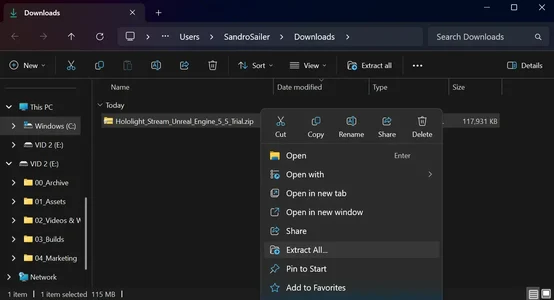
Go to the downloaded ZIP file. Right-click it and select Extract All.
-
Open the extracted folder.
-
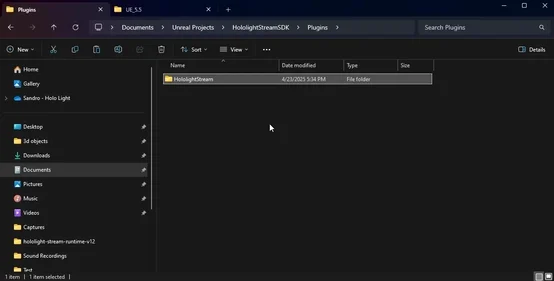
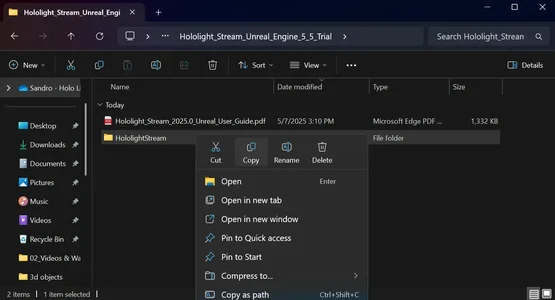
Copy the folder named HololightStream.
-
Go to your Unreal Projects Folder. This is usually at "C:\Users\Documents". This is the folder that has the project file, which has the extension, ".uproject".
-
Double-click your project folder.
-
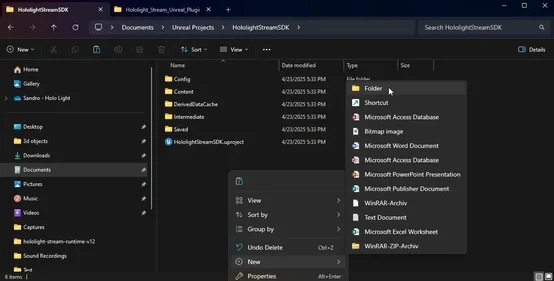
Create a folder named "Plugins", if there isn’t one already.
-
Open the newly created folder, "Plugins".
-
Paste the HololightStream folder you copied earlier in the "Plugins" folder.