Configure Hololight Stream Runtime XR device settings

Objectives

  • Be able to set up Hololight Stream Runtime to best work with your chosen XR device.

Configure device settings

Hololight Stream Runtime supports many devices, and these devices, while they share features, also have specifications that make them different from one another. Using the Hololight Stream Runtime utility allows you to change settings to better fit a streaming session with the connected device.
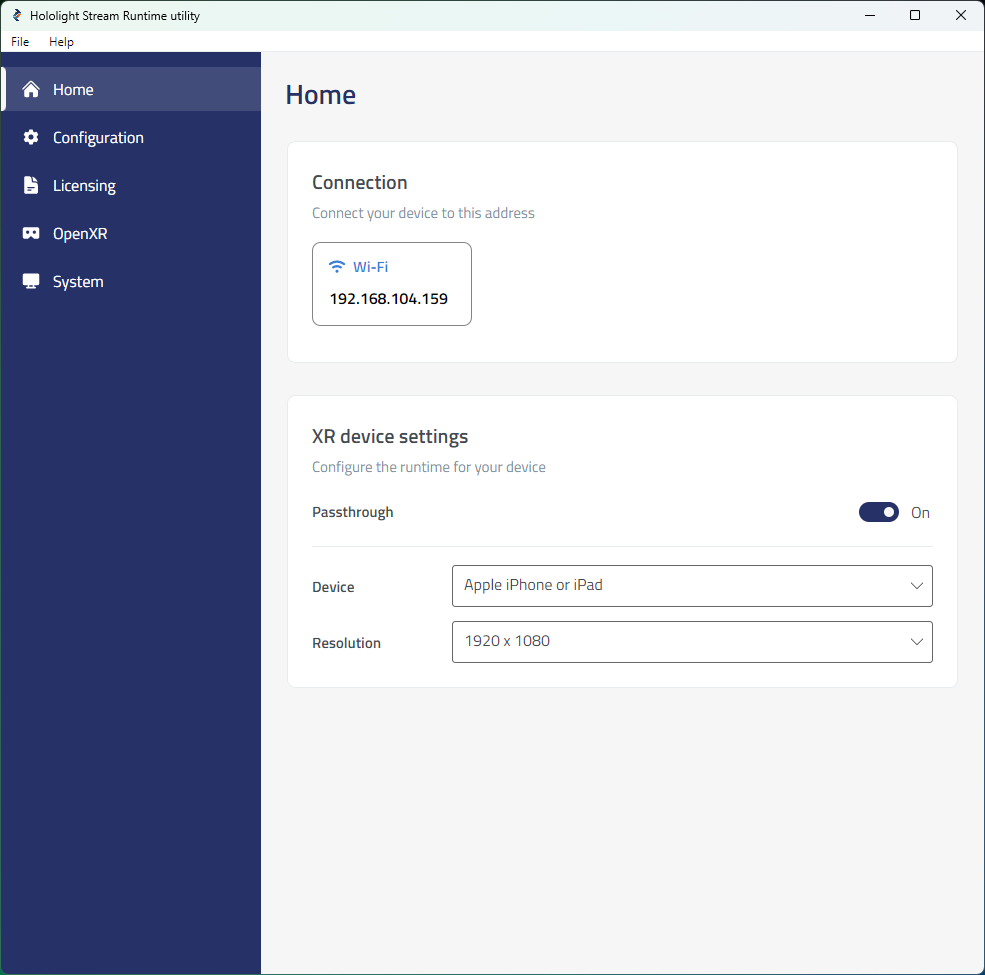
hololight stream runtime utility home

Devices supporting passthrough can switch between showing a virtual environment and overlaying digital objects over the real-world environment.

There are also options to select the appropriate resolution to stream based on the device you plan to connect with.

Toggle passthrough

  1. Open Hololight Stream Runtime utility.

  2. Select Home if not already selected. Then under XR device settings find Passthrough. Use the toggle switch to enable and disable passthrough.

Select stream resolution

  1. Open Hololight Stream Runtime utility.

  2. Select Home if not already selected. Then under XR device settings find Device. Use the dropdown to select the device you plan to use to connect to the application.

  3. Select the resolution you want to stream.