ICE servers and Hololight Stream Runtime

Objectives

  • Be able to add, edit, and remove ICE servers to use with Hololight Stream Runtime when needed.

ICE servers

Add ICE server

  1. Select Configuration > ICE servers > Add ICE server.
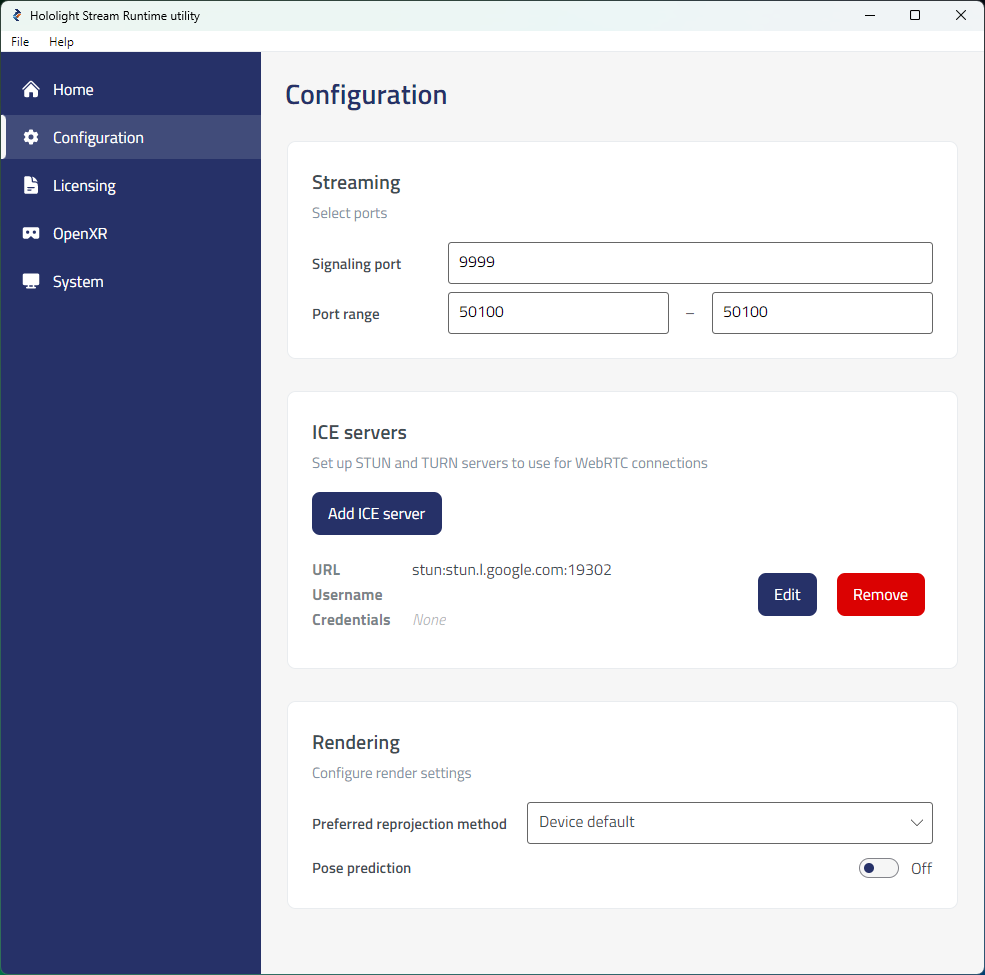
    hololight stream runtime utility configuration
  2. In the panel that appears, enter the URL and, when necessary, the username and credentials for the ICE server you want to use.
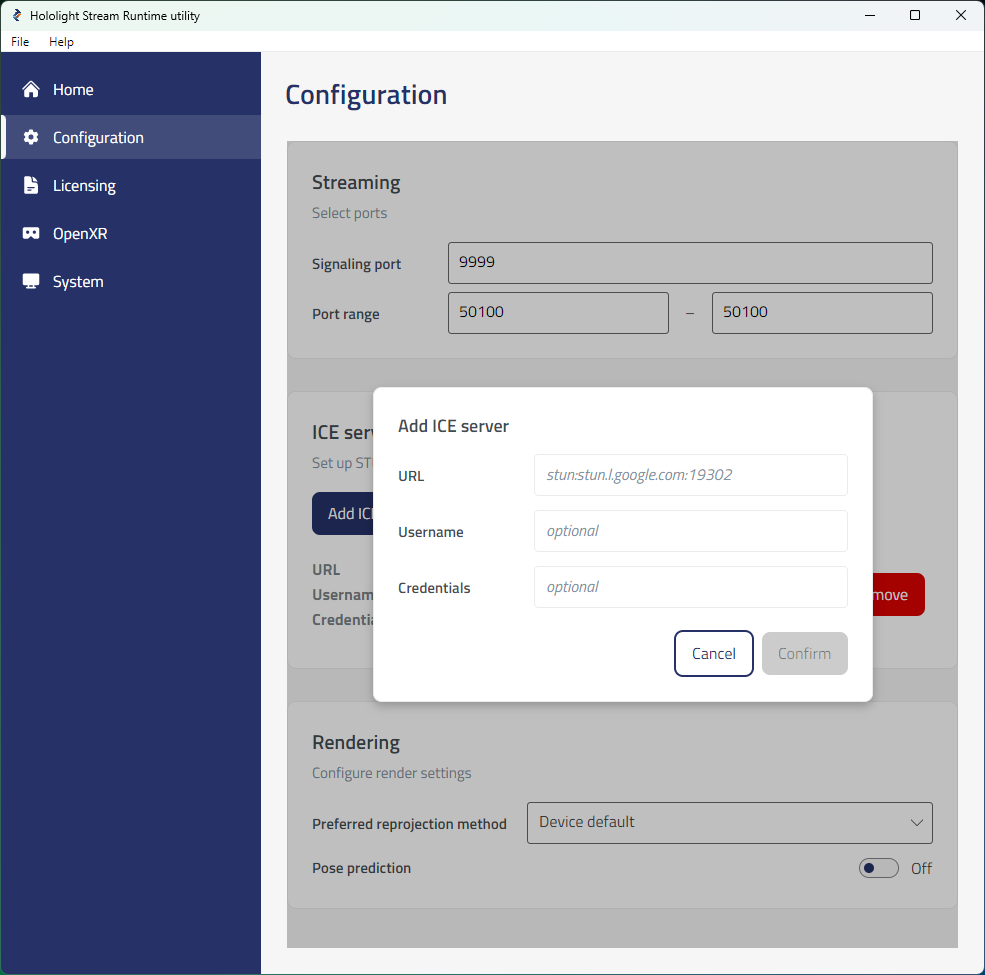
    hololight stream runtime utility ice server add
  3. Select Confirm.

The ICE server you want will appear in the list of active ICE servers.
Edit ICE server

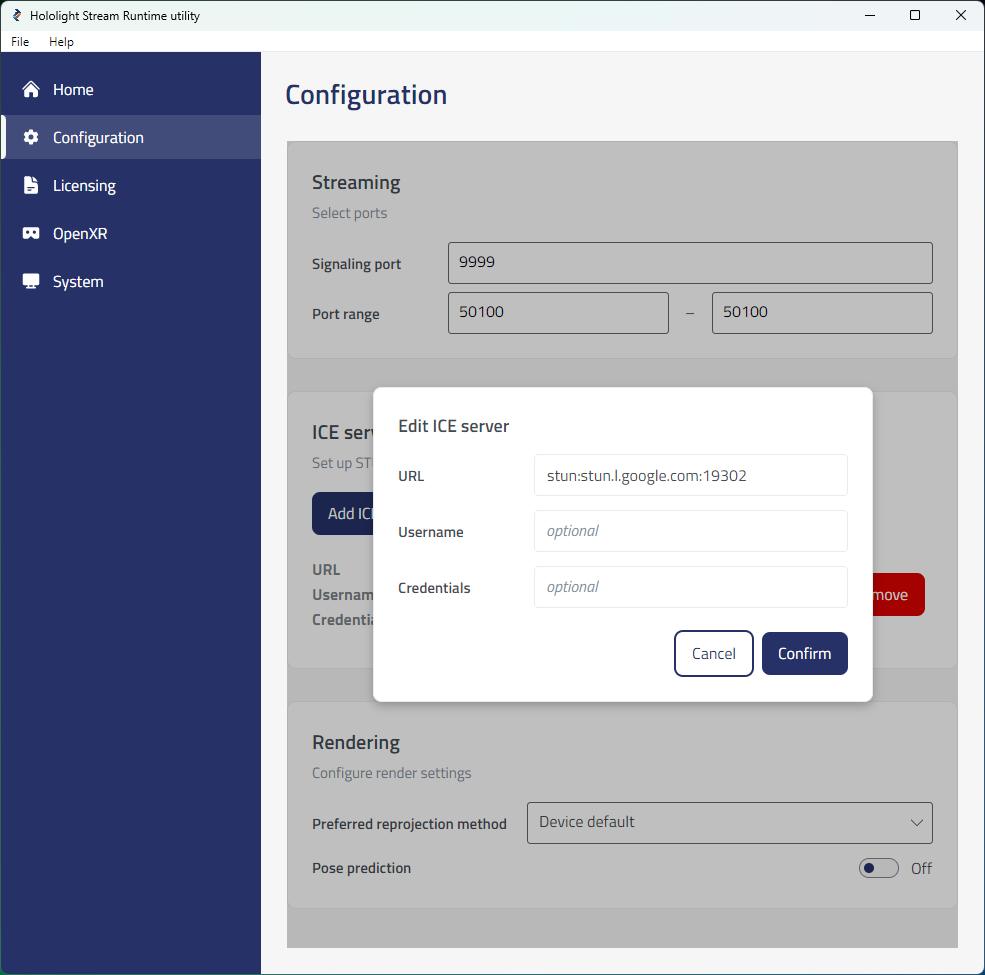
  1. Select Configuration > ICE servers. Find the ICE server you want to edit from the list and select Edit for that ICE server.

  2. In the panel that appears change the URL, username, and credentials as needed. Select Confirm when done.

    hololight stream runtime utility ice server edit

Remove ICE server

Select Configuration > ICE servers. Find the ICE server you want to remove from the list and select Remove for that ICE server.