Set up Hololight Hub web server
Prerequisites
-
Computer, physical or virtualized, for hosting Hololight Hub.
-
Hololight Hub setup wizard.
-
Hololight Hub license file.
-
Your own fully-qualified domain name, along with a domain certificate and corresponding private key
Set up web server
When setting up the web server, be aware there are some pieces of information that you need to save for future use that you will either not be able to retrieve later, or at least, not easily retrieve later:
-
Configure additional settings token secret
-
Application API key
To set up the web server:
-
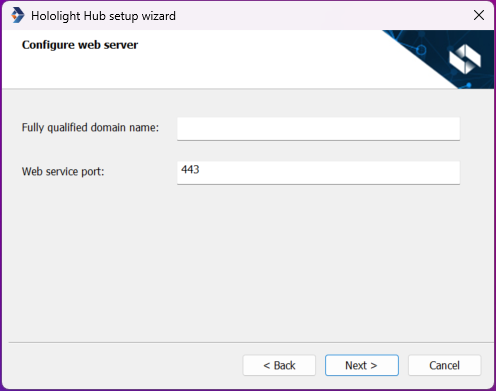
Enter a fully qualified domain name and a web service port, then select Next.
Field Description Fully-qualified domain name
Domain that you will host Hololight Hub at.
Web service port
The port for the domain.
-
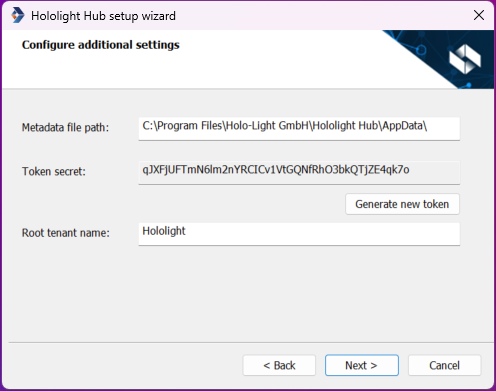
Fill out the following fields and select Next.
Field Description Metadata file path
Where metadata for Hololight Hub is stored.
Token secret
Save this token secret. It will be used in a future step.
Root tenant name
When you set up Hololight Hub, this is the name of the initial tenant the setup process will create.
-
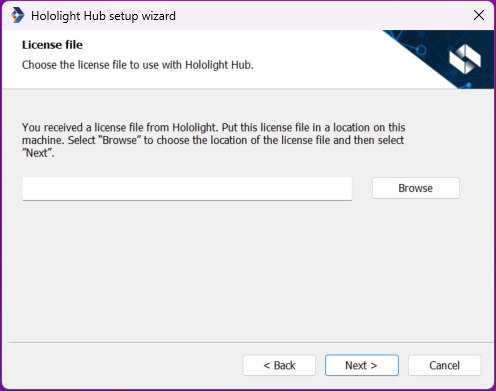
You received a license file from Hololight. This computer, the computer you are installing Hololight Hub on, should have this file saved somewhere on it. Select Browse to choose the location of the license file and then select Next.
-
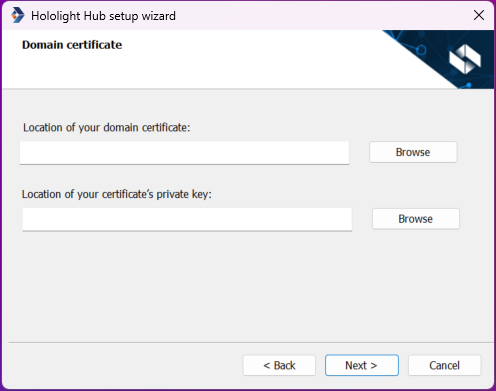
Enter to the locations for the domain certificate and that certificate’s private key, or select Browse to choose the file using File Explorer.
Field Description Domain certificate
Certificate for your fully qualified domain.
Certificate’s private key
Private key that goes with your certificate.
-
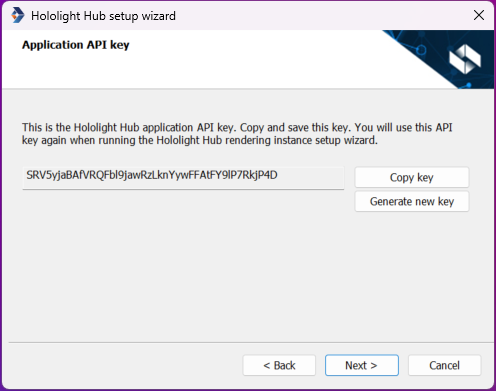
Save the application API key. If you don’t like the key that is shown, you can select Generate new key to create a new key. When you have saved the key, select Next.
After web server setup
After setting up the web server it is time to continue to setting up the Hololight Hub database. Remember that you will need the token secret and application API key later.