View active sessions on Hololight Hub
Prerequisites
-
You have a Hololight Hub account.
-
You have an account with an administrator or tenant manager access role.
View active sessions
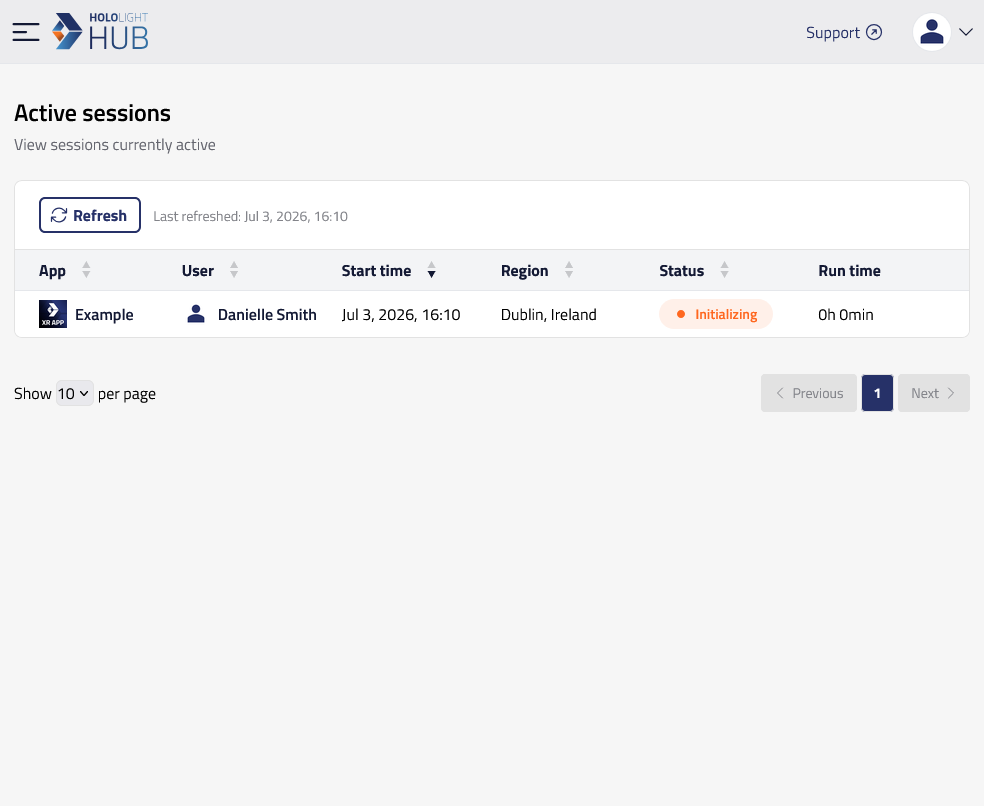
Select APPLICATION > Active sessions.
Here you can see a list of all users' active sessions in the tenant and details relevant to the sessions.
Property |
Description |
App |
Name of the application used for the session. |
User |
Person with an account that uses Hololight Hub. |
Start time |
The time an active session started running. |
Region |
Region where the server for the application session is hosted. |
Status |
The status of the session. Useful for showing whether or not a session is running or available to connect to. |
Run time |
The total time an active session has been running. |