Godot with Hololight Stream

Objectives

  • Be able to use Godot with Hololight Stream.

Prerequisites

  • Hololight Stream

  • Godot

Godot

Godot is an open-source game engine. After installing Hololight Stream and configuring your Godot project, you can connect to your Godot application with Hololight Stream.

For more information about Godot, check out https://godotengine.org/.

Configure your Godot project to work with Hololight Stream

1. Install and set up Hololight Stream

  1. Install Hololight Stream.

  2. Open Hololight Stream on your computer.
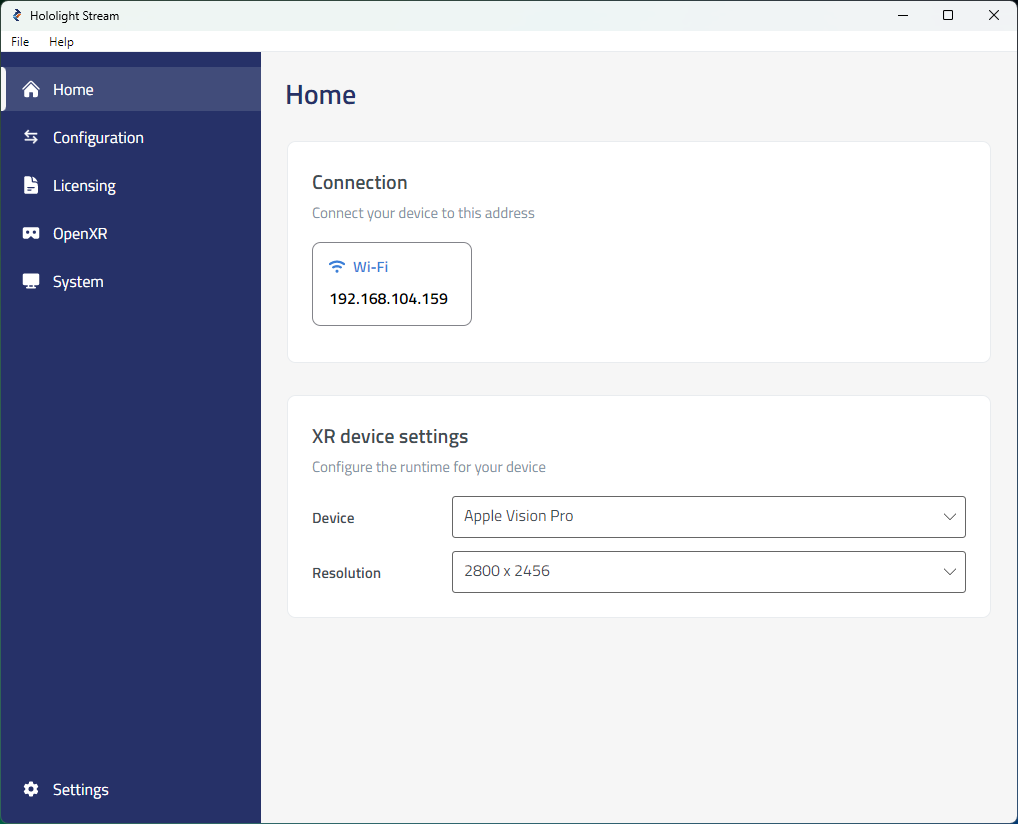
    hololight stream desktop home

  3. Select your XR device in the dropdown menu.
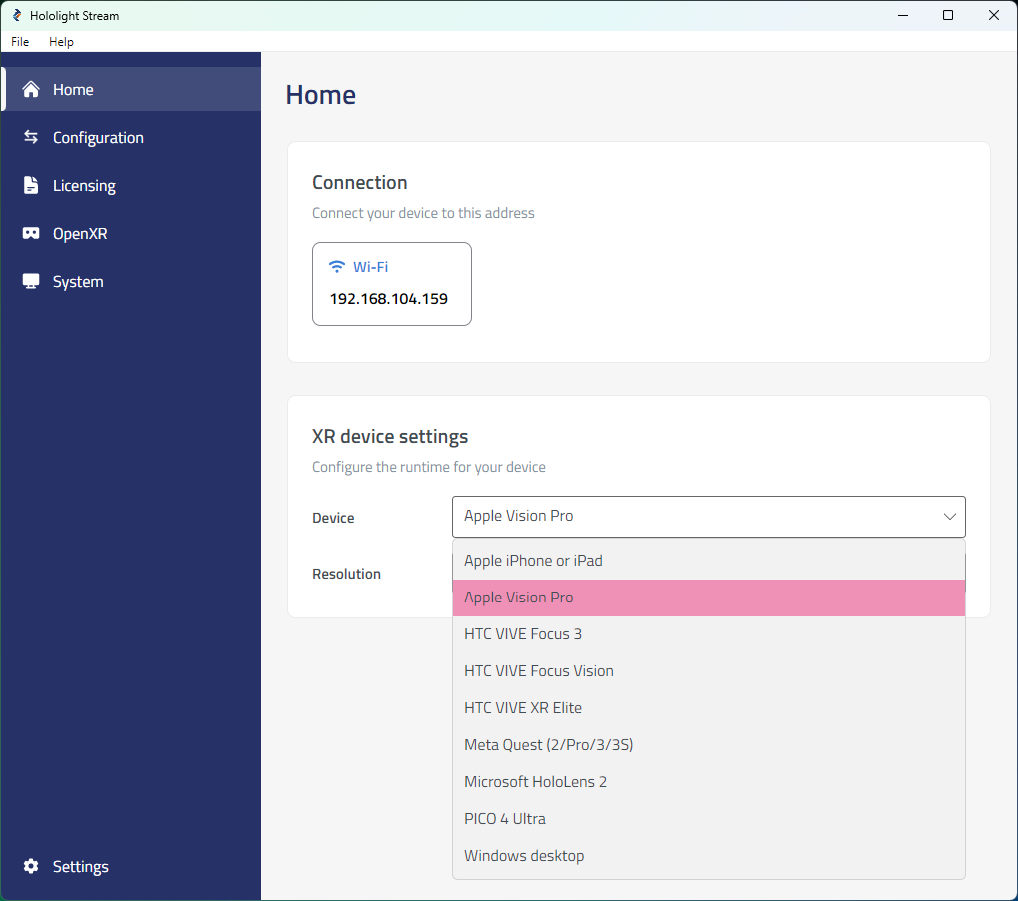
    Screenshot of selecting a device with Hololight Stream on a Windows computer

  4. Under Home > Connection, note the IP address. You will use this IP address on your XR device to connect.
2. Start Godot application

  1. Open the Godot XR Template.

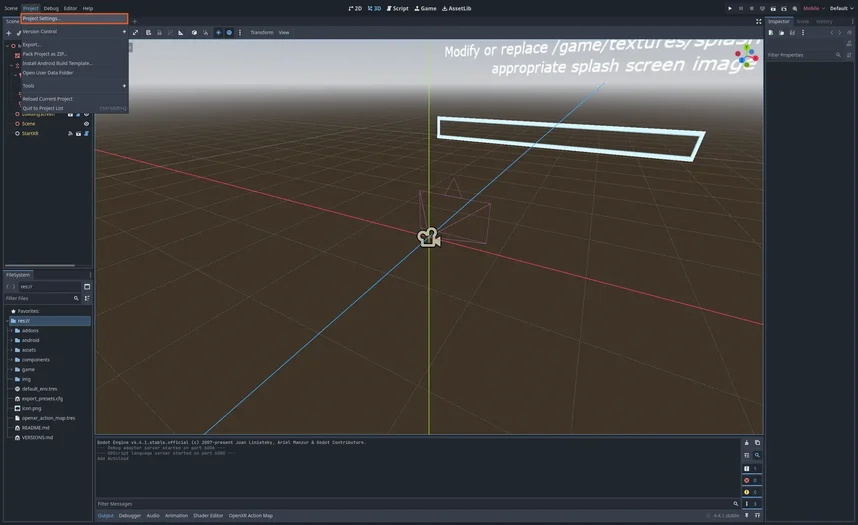
  2. Select Project > Project Settings in the top-left corner of the application.
    Screenshot of Godot

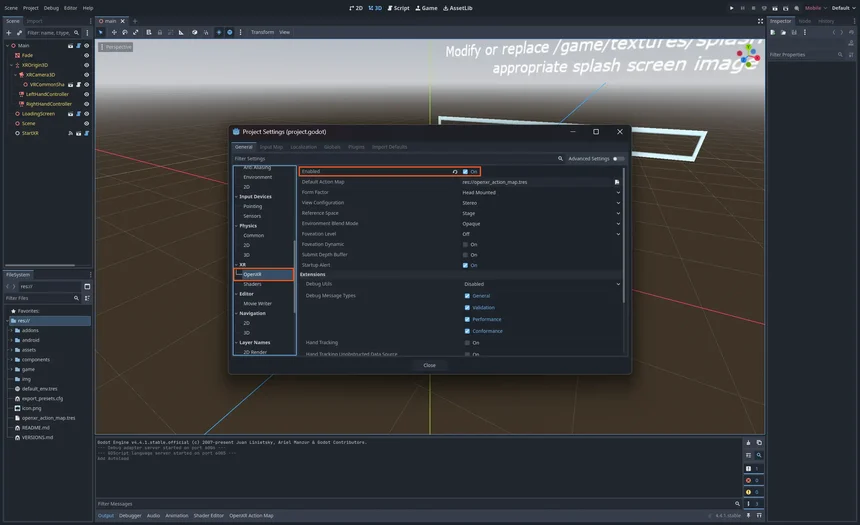
  3. Select XR > OpenXR and select the Enabled checkbox.
    Screenshot of Godot

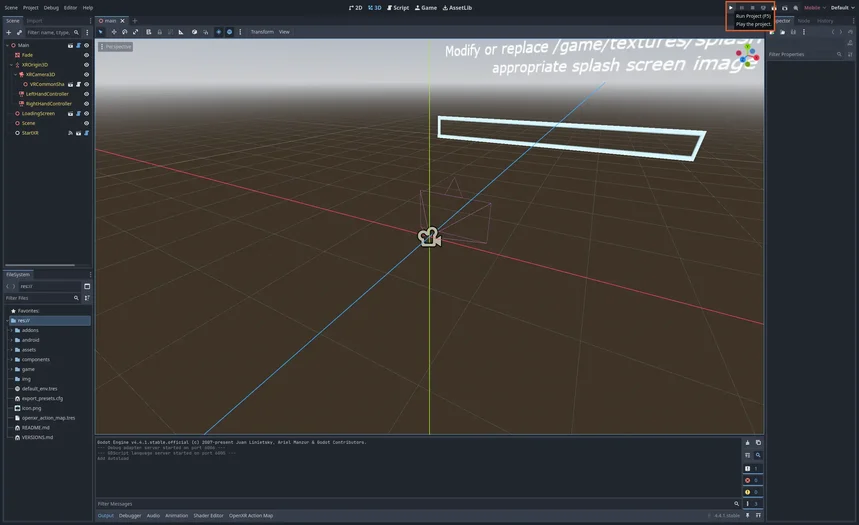
  4. Select Play in the top-right corner of Godot.
    Screenshot of Godot

3. Connect to the application

  1. Open Hololight Stream on your supported XR device.

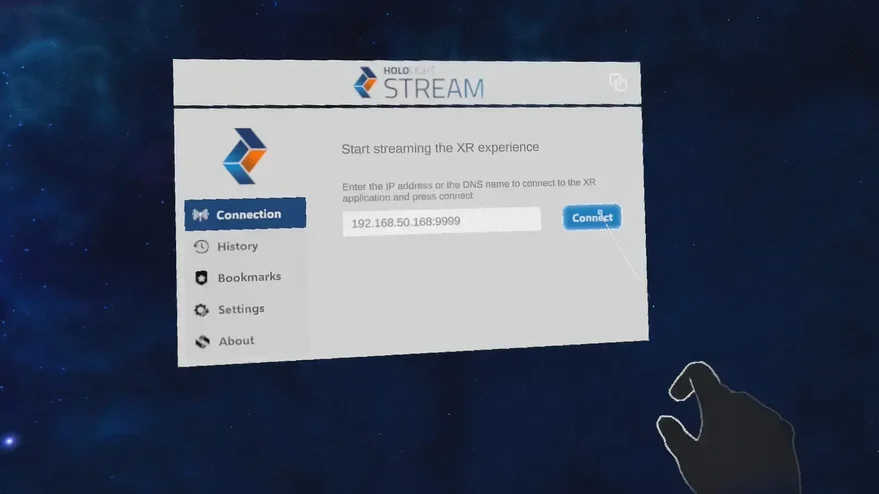
  2. Enter the IP address that Hololight Stream shows on your computer and select Connect.
    Screenshot of Hololight Stream