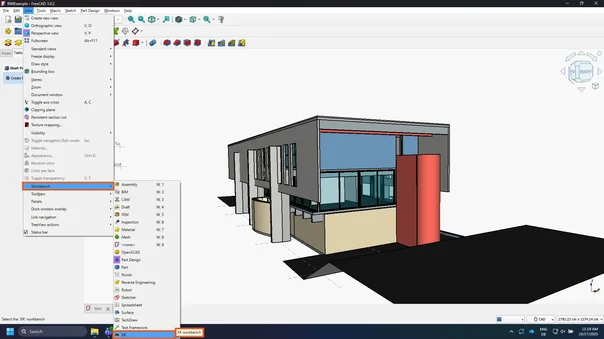
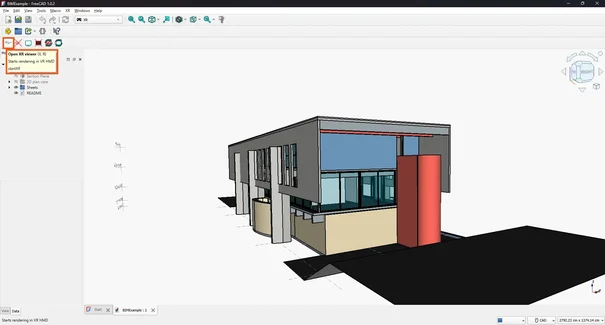
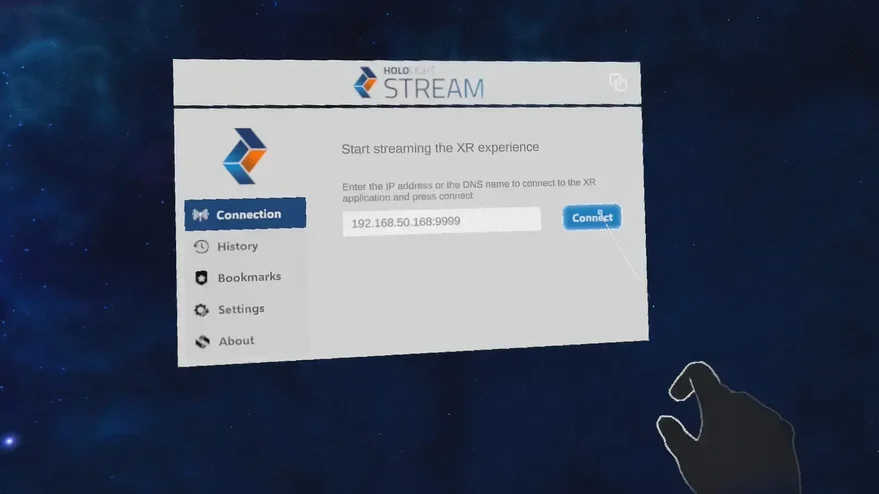
FreeCAD with Hololight Stream
Contents
FreeCAD
FreeCAD is open-source 3D modeling software used for design, simulation, and engineering tasks.
For more information, check out https://www.freecad.org.
Configure FreeCAD to work with Hololight Stream
1. Install and set up Hololight Stream
-
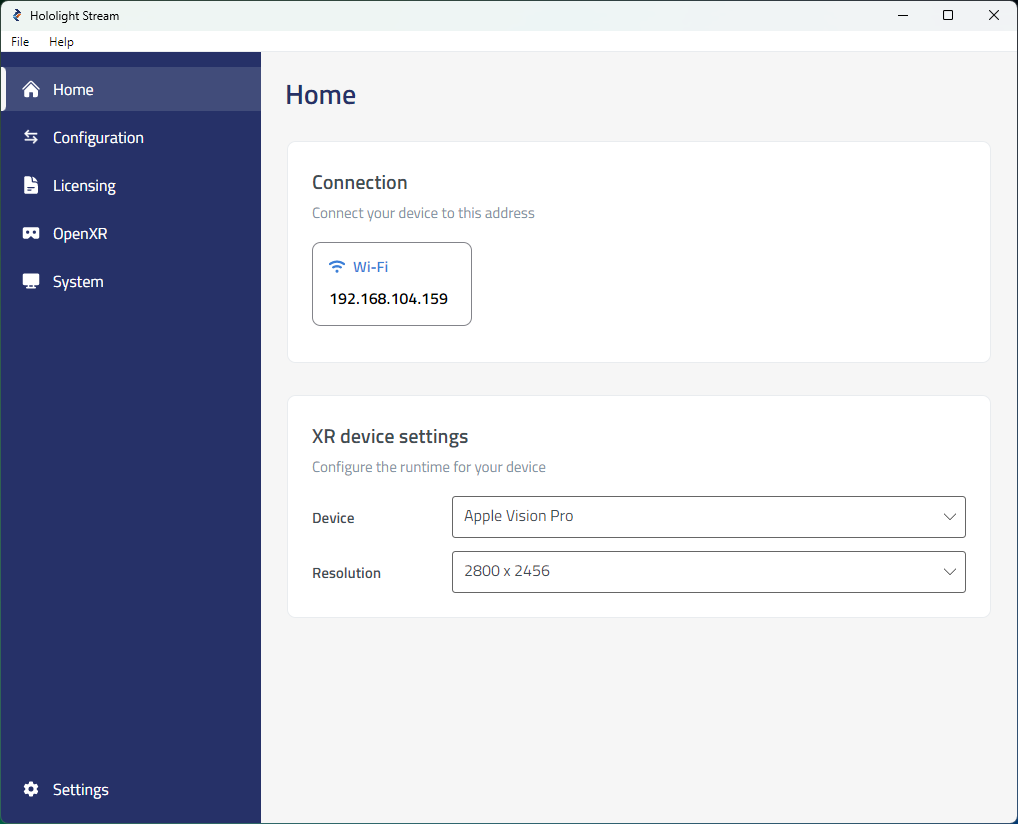
Open Hololight Stream on your computer.
-
Select your XR device in the dropdown menu.
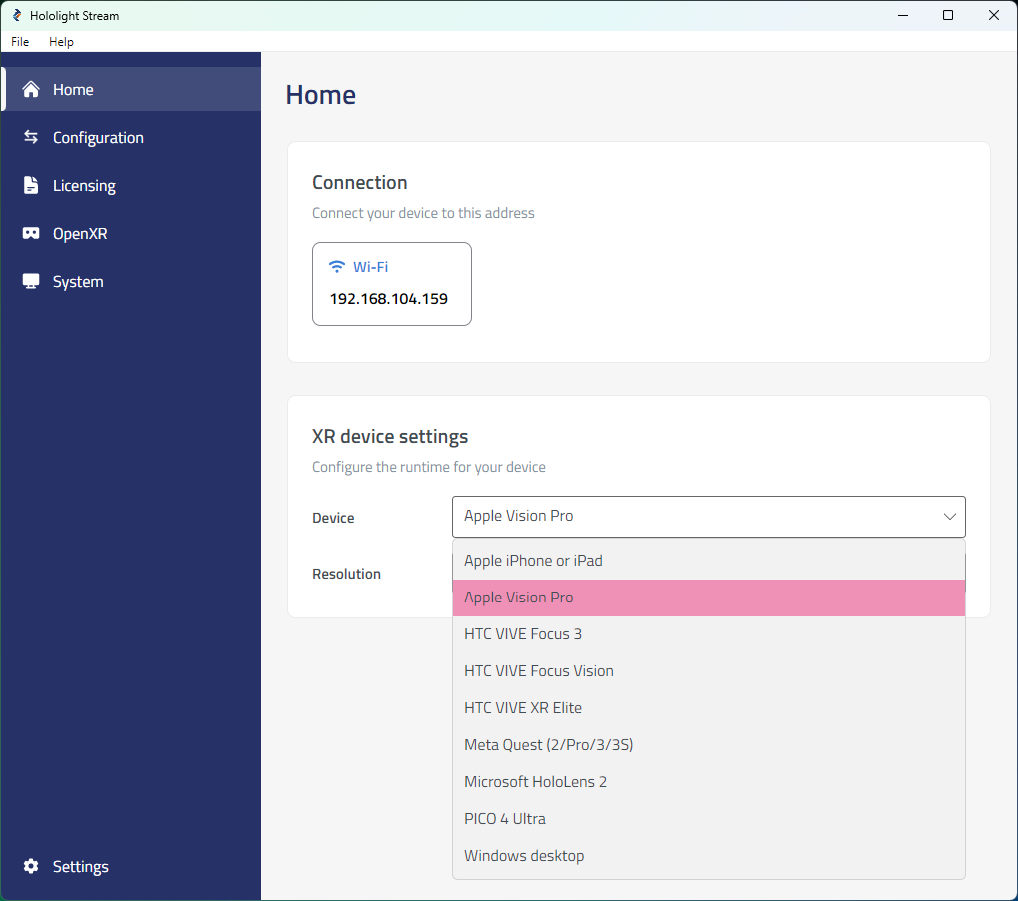
-
Under Home > Connection, note the IP address. You will use this IP address on your XR device to connect.
2. Set up FreeCAD
Install Python dependencies
-
Open Command Prompt.
-
Enter:
cd C:\Program Files\FreeCAD 1.0\bin
-
Enter:
python.exe -m pip install pyopenxr PyOpenGL
-
Wait until the installation finishes.
Install the FreeCAD XR Workbench plugin
-
Open any web browser.
-
Go to https://github.com/PhoneDroid/Kwahoo2-Virtual_Reality.
-
Select Code > Download ZIP.
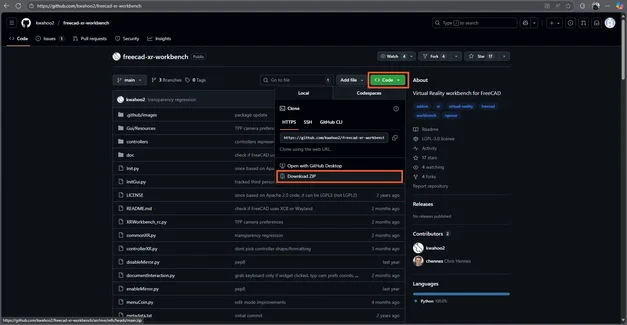
-
Right-click the downloaded ZIP file and select Extract all.
-
Copy the extracted folder.
-
Go to:
C:\Program Files\FreeCAD 1.0\Mod
-
Paste the copied folder here.
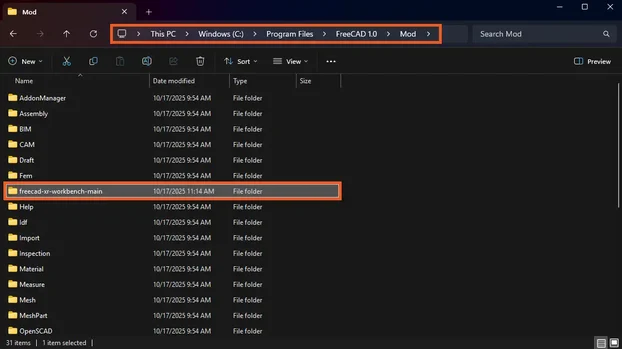
Ensure that the plugin’s files are in the root of the folder. The directory should be C:\Program Files\FreeCAD 1.0\Mod\freecad-xr-workbench-main
|